How to Install a Blind Spot Monitoring System缩略图

How to Install a Blind Spot Monitoring System

When you’re looking to enhance the safety of your vehicle, adding an advanced blind spot monitoring system can be a smart decision. At Luview, we provide the radar blind spot detection system to ensure you can detect nearby vehicles and obstacles, even in challenging conditions. These systems have evolved over time, providing increasingly accurate and reliable detection, helping drivers make safer lane changes. This article will guide you through the installation process of this essential safety technology.

How to Install a Blind Spot Monitoring System插图

Understanding the Components of a Radar Blind Spot Detection System

Before jumping into the installation process, it’s important to understand the key components of the radar blind spot detection system. Typically, these systems are powered by a 77GHz millimeter-wave radar sensor that can precisely detect the distance, speed, and angle of nearby objects. The Luview system uses FMCW modulation, which ensures high-precision ranging and velocity detection. This means that whether you’re driving through fog, dust, or smoke, you’ll have a reliable way to spot potential hazards around your vehicle.

Preparing Your Vehicle for Installation

Before beginning the installation of your advanced blind spot monitoring system, you’ll need to ensure that your vehicle is ready. Typically, the installation requires mounting radar sensors at specific locations around the vehicle, usually in the rear bumper area. These sensors are strategically placed to give a broad view of the area around your vehicle, including adjacent lanes. Additionally, it’s important to ensure your vehicle has a stable power supply since the sistema de deteção de ângulo morto por radar is designed to function across a wide voltage range, making it compatible with various vehicle power conditions.

Step-by-Step Installation Process

The installation process begins by connecting the radar blind spot detection system to the vehicle’s power supply. Once the system is powered, the radar sensors are calibrated to ensure accurate detection. At Luview, we provide clear guidance and tools to adjust the distance precision, allowing you to customize the system for your driving habits and environment. Once mounted and calibrated, the system will be ready to detect any vehicles in adjacent lanes and provide you with alerts, helping you stay aware and safe while on the road.

Testing and Fine-Tuning the System

After installation, it’s crucial to test the system for accuracy. The Luview blind spot detection system has the flexibility to be adjusted for various driving conditions. You can fine-tune the settings to ensure that the system alerts you at the right distance when a vehicle enters your blind spot. The radar blind spot detection system also works in various weather conditions, so it’s essential to test it in different environments, from clear skies to foggy or rainy weather, to ensure consistent performance.

Conclusão

Installing an advanced blind spot monitoring system is a valuable investment for anyone looking to enhance their vehicle’s safety. With the Luview radar blind spot detection system, you gain reliable, real-time alerts that help you make safer lane changes, whether you’re driving through clear skies or harsh weather conditions. By following the correct installation procedures and testing the system, you can ensure that your vehicle is equipped to handle a variety of driving scenarios, giving you confidence on every journey.

A Blind Spot Warning System with Rear Cross-Traffic Alert缩略图

A Blind Spot Warning System with Rear Cross-Traffic Alert

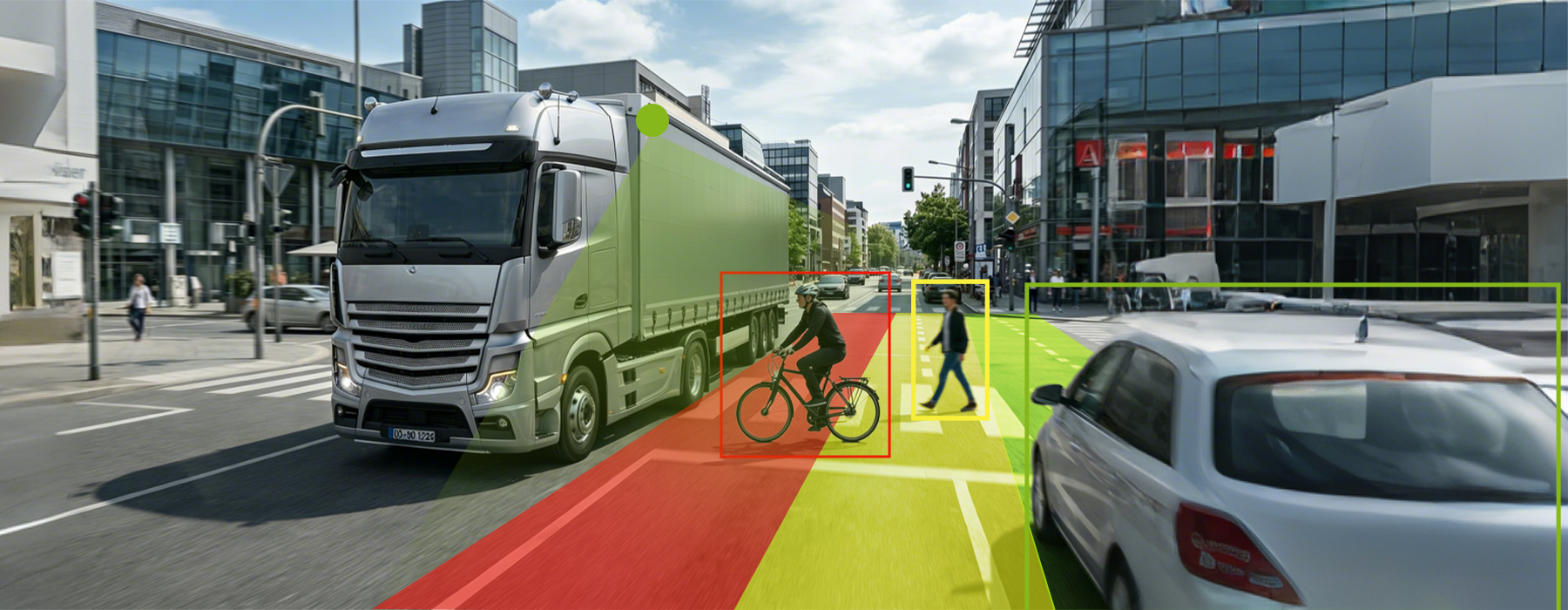
When it comes to vehicle safety, staying aware of your surroundings is essential. As drivers, we all know how challenging it can be to change lanes or navigate through busy traffic, especially with blind spots obstructing our view. That’s where the Luview advanced blind spot monitoring system comes in, providing real-time alerts to ensure safer driving. With the added functionality of a car blind spot detection system, Luview helps drivers remain aware of hidden hazards, making every journey more secure.

A Blind Spot Warning System with Rear Cross-Traffic Alert插图

Enhanced Safety with FMCW High-Precision Detection

At Luview, our advanced blind spot monitoring system uses state-of-the-art FMCW modulation to accurately measure the distance, speed, and angle of moving objects around the vehicle. This high-precision technology allows for precise detection of vehicles and obstacles, even in complex driving environments. Whether you’re changing lanes or merging into traffic, the car blind spot detection system ensures you are alerted to any potential dangers with exceptional accuracy.

Reliable All-Weather Detection for Challenging Conditions

One of the standout features of the Luview blind spot detection system is its ability to perform consistently in all weather conditions. Thanks to its advanced radar technology, the system can detect obstacles even in smoke, fog, or dust. This feature is crucial for ensuring safe driving during inclement weather or other low-visibility conditions. With Luview, you can rely on the sistema de deteção de ângulo morto para automóveis to help you navigate through adverse environments without compromise.

Customizable Distance Precision for Personalized Alerts

Safety is not one-size-fits-all, which is why Luview offers an adjustable detection range with its advanced blind spot monitoring system. This customizable feature allows drivers to fine-tune the detection distance to suit their specific needs. Whether you’re looking to monitor nearby vehicles more closely or extend the range for greater awareness, the system’s flexibility ensures you have the right level of alerting. This added precision makes Luview the ideal choice for drivers who demand performance and reliability in their car blind spot detection system.

Conclusão

Em Luview, we understand that safety and precision are crucial when it comes to driving. Our advanced blind spot monitoring system provides reliable, high-performance technology that enhances your driving experience with features like FMCW detection, all-weather functionality, and customizable distance settings. With our car blind spot detection system, drivers can confidently change lanes, navigate traffic, and stay aware of their surroundings—no matter the road conditions. With Luview, safety isn’t just a feature; it’s a commitment.

How to Connect DVR to Android Mobile for Seamless Fleet Management缩略图

How to Connect DVR to Android Mobile for Seamless Fleet Management

In today’s world, fleet management is more efficient and streamlined with the help of modern technology. A key component of this technology is the mobile vehicle DVR, which plays an essential role in monitoring vehicle activities, storing footage, and ensuring the safety of fleets on the road. One of the most important features of these systems is their ability to connect seamlessly with mobile devices. For fleet operators looking to enhance their vehicle surveillance systems, understanding how to connect the mobile vehicle DVR to an Android mobile device is crucial. At Luview, we specialize in offering high-performance cameras for fleet vehicles that are designed to integrate effortlessly with mobile technology, providing a smooth and intuitive experience.

How to Connect DVR to Android Mobile for Seamless Fleet Management插图

Understanding the Mobile Vehicle DVR System

Before diving into the connection process, it’s important to understand the features of the mobile vehicle DVR. The Luview 4-channel mobile vehicle DVR offers efficient video recording and compression, making it an ideal choice for fleet management. With support for H.265/H.264 video encoding, it ensures high video quality while using less storage space. This DVR also supports flexible storage options, such as a SATA hard disk and SD card recording, which allow fleet managers to store and retrieve footage easily. The Luview system’s ability to connect with Android mobile devices allows for convenient access to video feeds in real time, providing fleet operators with the flexibility to monitor their vehicles from anywhere.

Step-by-Step Process for Connecting the DVR to Your Android Mobile

To connect the mobile vehicle DVR to your Android mobile device, follow these straightforward steps. First, ensure that your Luview DVR system is powered on and connected to a stable cellular network. Many cameras for fleet vehicles like the Luview system come with built-in cellular connectivity, which is essential for streaming footage directly to mobile devices. Then, download the necessary mobile app that supports remote viewing and DVR management. Once installed, open the app and input the DVR’s connection details such as the IP address and port number. After the connection is established, you’ll be able to view live video streams, access stored footage, and receive real-time alerts directly on your Android device.

Advantages of Mobile Integration for Fleet Managers

Integrating mobile vehicle DVR systems like Luview with Android mobile devices offers several advantages. First, it enables real-time video streaming, which is crucial for monitoring driver behavior and vehicle status during operations. This feature enhances decision-making, especially in critical situations, by providing instant access to live footage. Furthermore, the system’s flexible storage options, such as SD card recording and SATA hard disk support, make it easier for fleet managers to store extended footage without frequent swaps. Lastly, with built-in cellular connectivity and single SIM support, fleet operators can manage their fleet data without needing a local Wi-Fi connection, ensuring continuous surveillance even in remote areas.

Conclusão

Connecting a mobile vehicle DVR to an Android mobile device is a straightforward process that offers numerous benefits for fleet management. At Luview, we provide high-quality cameras for fleet vehicles designed to integrate seamlessly with mobile devices, ensuring real-time video streaming and enhanced fleet monitoring. With the right setup, fleet managers can efficiently manage their vehicles, improve safety, and streamline operations. By choosing the Luview mobile DVR system, you’re investing in a flexible, reliable solution tailored for experienced fleet operators.

How to Configure a DVR for Mobile: Optimizing Fleet Vehicle Camera Systems缩略图

How to Configure a DVR for Mobile: Optimizing Fleet Vehicle Camera Systems

Managing a fleet of vehicles can be a complex task, especially when it comes to maintaining visibility over each vehicle’s operations. For fleet managers, selecting the right 4 channel vehicle DVR and configuring it for mobile use is a critical step toward improving efficiency, safety, and real-time monitoring. With Luview’s advanced mobile DVR solutions, you can ensure your vehicles are equipped with reliable video surveillance systems that meet all your fleet management needs.

Choosing the Right 4 Channel Vehicle DVR for Fleet Operations

When configuring a 4 channel vehicle DVR for your fleet, the first step is selecting a system that supports high-definition video quality while minimizing bandwidth usage. Luview offers an exceptional solution with its 4 channel vehicle DVR that uses H.265/H.264 encoding. This technology helps reduce the storage space required without compromising video clarity, allowing fleet managers to store extended footage. Whether you’re tracking driver behavior or monitoring vehicle conditions, a high-quality DVR like Luview’s will provide crystal-clear recordings that you can rely on.

Integrating the DVR with Fleet Management Tools

Configuring your fleet vehicle camera systems goes beyond just setting up the DVR. To optimize its capabilities, integrating it with fleet management tools is essential. Luview’s systems support external sensor integration through its 6-channel alarm input and RS232/RS485 support, allowing for real-time signal inputs from the vehicle’s systems. This feature ensures that fleet managers can detect anomalies like sudden braking or vehicle malfunctions, improving safety and reducing the need for manual oversight. By integrating the DVR with these systems, you can streamline your fleet’s operations and ensure that you receive real-time alerts when necessary.

Remote Monitoring and Data Export Features

One of the most crucial aspects of configuring a 4 channel vehicle DVR is ensuring that it can transmit live footage and data remotely. Luview’s mobile DVR systems are equipped with built-in cellular connectivity, making it possible for fleet operators to access video feeds and critical footage even in remote areas without WiFi. This feature ensures that fleet managers can keep an eye on their operations from anywhere, streamlining decision-making processes and improving response times. Additionally, the manual or scheduled SD card recording feature offers flexibility, allowing for quick access to footage when needed, even without a strong network connection.

Conclusão

Configuring a 4 channel vehicle DVR system for mobile use is a straightforward but essential step in optimizing your fleet management. With Luview’s advanced fleet vehicle camera systems, you get a solution that not only offers high-quality video recording but also integrates seamlessly with other fleet management tools. Whether you’re monitoring vehicles in real-time or reviewing stored footage, Luview ensures your fleet runs smoothly, efficiently, and safely, no matter the conditions.

How to Access DVR Through Mobile缩略图

How to Access DVR Through Mobile

In an age of evolving fleet management solutions, staying connected to your vehicles in real time is essential. The integration of a vehicle DVR camera system is a game-changer for fleet managers who need to monitor and access live footage from their vehicles, especially in remote areas. At Luview, we provide an advanced mobile DVR camera system that empowers fleet operators to manage their vehicles effortlessly from anywhere. Let’s explore how to efficiently access your DVR through mobile and streamline your fleet operations.

Understanding the Vehicle DVR Camera System

A vehicle DVR camera system is a crucial tool for managing a fleet, as it records footage from the vehicle’s cameras for surveillance and safety. The Luview system offers enhanced features such as H.265/H.264 encoding, which ensures that high-quality footage is compressed efficiently without sacrificing clarity. This feature enables users to store more footage in less space, making it perfect for long-haul operations. With an easy-to-use system, managers can review footage directly from their mobile device, ensuring timely access when necessary.

The Role of Mobile Connectivity in Real-Time Monitoring

One of the standout features of the Luview mobile DVR camera system is its built-in cellular connectivity. This allows for real-time video streaming, which is invaluable for fleet operators who need immediate access to critical footage. Whether in a city or remote location, the mobile DVR camera system ensures that you are always connected and can access live footage via your mobile phone or tablet. The system supports single SIM connectivity, which ensures uninterrupted access even in areas where Wi-Fi might be unavailable.

Quick Access to Footage and Alerts

At Luview, we understand that fleet managers need flexibility in accessing their vehicle DVR footage. Our system supports manual or scheduled SD card recording, meaning that footage can be quickly accessed or exported, even without a network connection. With up to 6 alarm inputs, the mobile DVR camera system can also connect to external sensors for detecting and responding to real-time anomalies, ensuring faster reactions and improved safety.

Conclusão

The ability to access your vehicle DVR camera system remotely via mobile is no longer a luxury—it’s a necessity. With Luview’s mobile DVR camera system, fleet managers can streamline operations, reduce oversight, and improve safety. Whether you need real-time footage or recorded video, our system provides the tools you need to manage your fleet efficiently, even when you’re miles away from your vehicles.

How a Mobile DVR System Enhances Fleet Management Efficiency缩略图

How a Mobile DVR System Enhances Fleet Management Efficiency

In the fast-paced world of fleet management, the need for high-quality, reliable video surveillance is paramount. With a mobile DVR system, fleet operators can monitor their vehicles in real-time, ensuring enhanced safety, efficient management, and seamless data transmission. At Luview, we specialize in providing vehicle camera systems with DVR capabilities that cater to experienced fleet managers who demand efficiency and performance. In this article, we will explore how the vehicle camera system with DVR works and how it helps you stay on top of your fleet operations.

Flexible Storage Solutions with the Vehicle DVR System

A core advantage of using a DVR mobile system like the Luview 4 Channel 1080P AHD All-in-One MDVR is the flexibility it offers in storage management. Our system supports both SATA hard disks and SD card recording, making it easy to store and manage large volumes of high-definition video footage. The H.265 / H.264 encoding ensures that video quality remains high even as the compression reduces the required storage space. This feature is particularly useful for fleet managers who need to store extended periods of footage without having to frequently swap out memory cards or hard drives.

Real-Time Video Streaming for Remote Monitoring

One of the standout features of a vehicle camera system with DVR like the one we offer at Luview is its built-in cellular connectivity. With a single SIM card, fleet operators can access real-time video feeds from their vehicles, even in areas where Wi-Fi may be unavailable. This mobile data access ensures that footage is always just a click away, allowing managers to monitor fleet activities live and respond to incidents quickly. Whether you’re tracking vehicle locations or reviewing footage from a recent event, having immediate access to video data is crucial for managing a fleet effectively.

Enhanced Safety with Integrated Sensors and Alarms

Safety is a top priority in fleet management, and Luview understands this. Our DVR mobile system integrates seamlessly with external sensors and vehicle systems to improve safety measures. The system supports up to 6-channel alarm input and connections to RS232/RS485 devices, enabling you to monitor and respond to real-time anomalies. Whether it’s detecting harsh braking, unusual vehicle movement, or other safety concerns, the vehicle camera system with DVR provides an added layer of oversight that reduces the need for constant manual checks.

Conclusão

The Luview mobile DVR system provides a comprehensive solution to fleet management challenges. With its efficient storage, real-time streaming capabilities, and safety-enhancing features, it is an invaluable tool for experienced fleet managers who require high performance and reliability. At Luview, we are committed to delivering solutions that help you streamline your fleet operations and stay ahead of the competition. Whether you’re tracking vehicles or managing footage, our vehicle camera system with DVR ensures your operations run smoothly and securely.

How to Connect a 1080P Car DVR Camera to Mobile Data缩略图

How to Connect a 1080P Car DVR Camera to Mobile Data

As technology advances, fleet management has become more efficient and reliable with the integration of mobile DVR systems. These systems provide vehicle operators with real-time monitoring, remote access, and the ability to manage footage efficiently. If you’re looking for ways to connect your 1080p car DVR camera to mobile data, this guide will walk you through the essential features and advantages of using a mobile DVR like the Luview JYDV8004, a 4-channel AHD all-in-one solution. Whether you’re a fleet manager or an experienced operator, these solutions offer seamless connectivity, helping you keep track of your vehicles and assets.

Setting Up Mobile Data Connectivity for Seamless Streaming

To ensure uninterrupted video streaming, Luview’s mobile DVR systems come equipped with built-in cellular connectivity. With a single SIM card, the JYDV8004 allows you to connect directly to mobile data networks, providing real-time video monitoring for your fleet. By relying on cellular networks rather than local Wi-Fi, you can maintain connectivity even in remote areas, ensuring that video footage is always accessible when you need it.

This mobile DVR supports H.265/H.264 encoding, which allows for high compression rates without sacrificing video clarity. This feature helps fleet managers store and transmit data more efficiently, even with limited bandwidth. Whether you’re in a city or an area with weak network coverage, the Luview JYDV8004 adapts to the conditions, providing stable connections and smooth video streaming.

Streamlining Data Management with On-Site Storage

One of the key benefits of the JYDV8004 mobile DVR is its flexible storage options. You can install a single SATA hard disk, giving you ample space for storing high-definition video footage. This is ideal for fleet management, as it allows for extended recording periods without the need for frequent manual intervention. The device also supports manual or scheduled SD card recording and USB ports, allowing for quick access and export of footage, even without a heavy network upload.

When connected to mobile data, the Luview JYDV8004 becomes an all-in-one solution for recording and transferring footage, regardless of location. Whether your vehicles are on long routes or parked in remote areas, the mobile DVR ensures that critical video files are safe and easily accessible.

Enhancing Safety with Real-Time Alerts and Anomaly Detection

Another essential feature of the Luview JYDV8004 mobile DVR is its ability to integrate external sensors, which provide real-time alarm inputs. This system is equipped with 6-channel alarm inputs, as well as RS232 and RS485 support, allowing it to connect with vehicle systems and detect anomalies more effectively. These capabilities help fleet operators respond quickly to emergencies or operational issues, enhancing vehicle safety and reducing the need for constant manual monitoring.

By connecting the DVR to mobile data, fleet managers gain immediate access to these real-time alerts, streamlining incident response and minimizing the risk of accidents or delays. The continuous connectivity allows for faster decision-making and better oversight, especially in environments where real-time data is crucial for maintaining safety standards.

Conclusão

At Luview, we understand the challenges fleet managers face in maintaining constant connectivity and managing vehicle data efficiently. The 1080p car DVR camera integrated with mobile data, like our JYDV8004, transforms how you monitor, record, and retrieve footage. With built-in cellular connectivity, large storage options, and real-time alert systems, the Luview mobile DVR ensures that you can manage your fleet efficiently, even in remote locations. Stay connected, stay secure, and streamline your operations with Luview’s mobile DVR solutions.

Can You Watch DVR Recording on Mobile Devices?缩略图

Can You Watch DVR Recording on Mobile Devices?

Managing a fleet comes with its unique challenges, especially when it comes to monitoring and securing vehicles on the move. At Luview, we understand that experienced fleet operators need a reliable way to access video footage anytime, anywhere. That’s why our mdvr system and 4 channel mobile DVR solutions are designed to give seamless mobile access to DVR recordings, whether for routine checks or urgent investigations. With advanced compression, flexible recording options, and built-in connectivity, staying connected with your fleet has never been easier.

Streamlined Video Access Anywhere

Our 4 channel mobile DVR is built for accessibility. With H.265/H.264 encoding, the system compresses high-definition footage efficiently, allowing fleet managers to stream video over limited cellular bandwidth without sacrificing clarity. The built-in single SIM card provides constant mobile data access, ensuring that critical video is available even in areas without WiFi. At Luview, we make sure fleet operators can retrieve footage from the field smoothly, saving time and reducing reliance on complex network setups.

Flexible Storage for Extended Recording

Storage management is crucial for large fleets, and our mdvr system addresses this with support for a single SATA hard disk. This setup accommodates extended recording sessions without frequent swapping, allowing managers to maintain high-definition archives over long periods. For additional convenience, manual or scheduled SD card recording is supported alongside USB export options. Luview’s mobile DVRs enable rapid on-site access, which means critical incidents can be reviewed instantly without waiting for network uploads.

Integrated Vehicle Safety Monitoring

Safety and responsiveness are priorities for any fleet. Our 4 channel mobile DVR comes equipped with six alarm inputs and RS232/RS485 support, enabling integration with external sensors or vehicle systems. This allows real-time signal detection for anomalies, from door breaches to engine alerts. At Luview, we combine video monitoring with sensor data to provide a comprehensive view of vehicle activity, giving operators actionable insights and reducing manual oversight. By leveraging advanced analytics and seamless integration, our system enhances fleet safety, enabling quick responses to potential issues and minimizing risks on the road.

Conclusão

Accessing DVR recordings on mobile devices is no longer a challenge for professional fleet operators. With Luview’s mdvr system and 4 channel mobile DVR, teams can efficiently monitor vehicles, store extended high-definition footage, and respond to events in real time. Our solutions are designed for experienced users who need robust, flexible, and mobile-ready monitoring tools, making fleet management more efficient and secure than ever.

How to Set Up a Mobile DVR for Vehicles缩略图

How to Set Up a Mobile DVR for Vehicles

Setting up a mobile DVR for vehicles can be a game-changer for fleet managers looking to improve safety, monitor vehicle performance, and ensure efficient operations. At Luview, we understand the importance of having a reliable and easy-to-install mobile digital video recorder (DVR) system that works seamlessly in the demanding environments of fleet management. This article will walk you through the steps for setting up a mobile DVR for vehicles, highlighting the key features of the Luview JYDV8004 model that make it an ideal choice for businesses looking to enhance their vehicle monitoring systems.

Understanding the Key Features of a Mobile DVR System

A mobile DVR for vehicles is designed to capture high-definition footage from various cameras installed in vehicles. The Luview JYDV8004 model is a versatile 4-channel mobile DVR that supports both H.264 and H.265 encoding, offering efficient video compression without sacrificing quality. This ensures that your fleet can store more footage in less space, making it ideal for extended trips and for those who need to conserve bandwidth while transmitting videos over mobile networks.

Additionally, the Luview model supports SATA hard disk storage, making it easy to manage large volumes of video footage. With this feature, fleet managers can avoid frequent disk swaps, simplifying maintenance and ensuring that critical footage is always available when needed.

Easy Installation and Flexible Data Access

The Luview JYDV8004 mobile DVR is straightforward to install, making it an excellent choice for both experienced professionals and businesses that want a system that doesn’t require complicated setup processes. Whether it’s a manual or scheduled SD card recording, the flexibility offered by this system means that fleet managers can easily access critical footage on-site, even in areas with limited connectivity.

The inclusion of a USB port ensures that exporting footage is as simple as plugging in a USB drive. This is an invaluable feature, especially for teams working in remote areas where internet connectivity may be unreliable.

Real-time Monitoring with Built-in Cellular Connectivity

At Luview, we know that having real-time access to your footage can be critical for fleet management. The JYDV8004 offers built-in cellular connectivity with a single SIM card, allowing fleet operators to stream live video and monitor vehicles in real time, regardless of whether there is a Wi-Fi connection available.

This feature is especially useful for remote monitoring, enabling fleet managers to keep track of vehicle performance, safety, and other key metrics without having to rely on local Wi-Fi networks. Whether you’re in a city or on a long-distance journey, Luview’s mobile DVR system ensures constant connectivity for seamless fleet management.

Conclusão

Setting up gravadores de vídeo digitais móveis doesn’t have to be complicated. With the Luview JYDV8004, fleet managers can enjoy high-definition video recording, easy installation, and real-time monitoring capabilities that enhance the safety and efficiency of their operations. With features like SATA storage, cellular connectivity, and flexible recording options, Luview’s mobile DVR system is built for those who require reliable, professional-grade solutions for their fleet management needs. By investing in the right equipment, you’re ensuring that your fleet is always protected and operating at its best.

How to Connect Your DVR to a Mobile Phone for Enhanced Fleet Management缩略图

How to Connect Your DVR to a Mobile Phone for Enhanced Fleet Management

When it comes to managing a fleet, one of the key aspects is ensuring that you can access your fleet’s video footage remotely, no matter where you are. This is where a mobile DVR system becomes an essential tool. At Luview, we understand that fleet operators need seamless connectivity to ensure constant monitoring and quick access to critical footage. That’s why we’ve developed an advanced Sistema MDVR that allows effortless integration with mobile devices. In this article, we will explore how to connect your DVR for fleet management to a mobile phone, offering you more flexibility and control over your fleet’s operations.

Effortless Setup with Luview’s Mobile DVR System

Setting up a DVR for fleet management on your mobile phone is easier than you might think. At Luview, our MDVR system comes with built-in cellular connectivity, making it possible to stream video footage in real time, even in remote areas where traditional WiFi may not be available. This is achieved through a single SIM card integration, ensuring constant mobile data access for smooth monitoring. Once the system is set up, fleet managers can use the mobile app to monitor their vehicles from anywhere, stream live footage, and even replay recordings on demand.

Features That Make Your Fleet Operations Smoother

With the MDVR system from Luview, you get more than just video streaming. Our system supports efficient compression with H.265/H.264 encoding, ensuring that your footage is stored effectively without compromising on quality. The DVR for fleet management offers flexible storage options, including support for one SATA hard disk and SD card recording. This means you can store large volumes of high-definition footage for long periods without worrying about running out of space or frequently swapping storage devices. The added ability to export critical footage directly from the device via USB makes it easy to retrieve important videos even when you are not near a network.

Real-Time Monitoring and Alerts for Greater Security

The true power of an MDVR system comes from its ability to integrate with various external sensors and vehicle systems. With 6-channel alarm inputs and RS232/RS485 support, the Luview system can detect and respond to anomalies in real time, providing fleet managers with valuable insights. When connected to a mobile phone, this system enables fleet operators to receive real-time alerts, helping them address potential issues swiftly and reducing manual oversight. The ability to respond quickly to any anomalies enhances the safety and security of the fleet.

Conclusão

Em Luview, we are committed to providing solutions that enhance the efficiency of fleet management. With our MDVR system and mobile integration, you can stay connected, improve your operations, and ensure that your fleet is secure. By utilizing advanced features like cellular connectivity, flexible storage options, and real-time alerts, our DVR for fleet management system gives you the tools you need to optimize fleet performance. Connect your DVR to your mobile phone today and experience the future of fleet management.