ระบบดิจิตอลไร้สายความละเอียดสูงขนาด 5 นิ้วของ Luview ทำให้การขับขี่ของคุณง่ายขึ้น!

ระบบดิจิตอลไร้สายความละเอียดสูงขนาด 5 นิ้วของ Luview ทำให้การขับขี่ของคุณง่ายขึ้น!

Luview 5-inch digital wireless high-definition system makes driving easier for you!插图Driving in busy cities can be tough, especially when you’re trying to reverse or find your way through narrow streets and tight parking spots. There are lots of obstacles and blind spots to worry about, which makes it even more stressful. Plus, you have to stay super focused to avoid accidents with all the traffic, pedestrians, and other stuff going on around you.

But thanks to new technology, things are getting easier. Nowadays, many cars come with smart driving assistance systems that make driving safer and more convenient. One common feature is the reverse assistance system, which uses cameras and sensors to keep an eye on what’s around your car. It gives you a better view and warns you about any dangers, like when you’re reversing or parking. This takes some of the pressure off and helps you stay safe on the road.

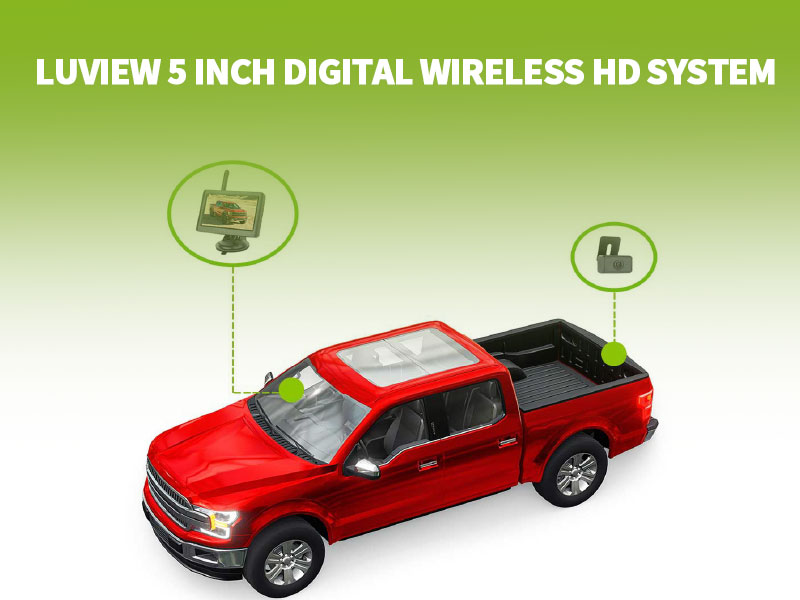
In the face of such driving challenges, Luview has launched a brand new 5-inch digital wireless HD system, aiming to provide drivers with a more intelligent and efficient driving assistance solution, helping you easily tackle various road obstacles. Below is a detailed introduction of this product:

  • Wireless connection, convenient installation

Utilizing 2.4G digital wireless connection technology, eliminating the need for cumbersome wiring, the installation process is straightforward, saving time and effort.

  • High-Definition monitor, stunning visuals

Equipped with a 5-inch LCD backlight display screen, boasting a resolution of up to 800*480, delivering clear and lifelike images to ensure a safer and more comfortable driving experience.

  • Intelligent design, non-destructive installation

Featuring a hidden license plate bracket design, installation does not require drilling holes, maintaining the cleanliness and integrity of the vehicle’s body, sealed with adhesive injection molding technology, achieving IP69K waterproof rating, prolonging the product’s lifespan.

  • Versatile configuration, intelligent upgrade

Supporting intelligent features such as image flipping and reverse parking guidelines, equipped with a 1/3 high-definition CMOS sensor, with a minimum illumination of 0.01LUX, and a wide-angle design providing a comprehensive field of view, eliminating blind spots.

Whether it’s daily driving or reverse parking, Luview’s 5-inch digital wireless HD system ensures clear and safe driving, making your driving experience stress-free and enjoyable by helping you overcome various challenges on the road. Say goodbye to driving headaches and enjoy a more relaxed and comfortable journey!

For many years, Luview has been a leader in the field of automotive and other vehicle safety applications, focusing on the development and manufacturing of reverse monitors, car cameras, parking sensors, dash cams, and other automotive monitoring and safety products.

If you are searching for a dependable manufacturer of rearview camera systems or other automotive camera products and solutions, then you’ve come to the right place. Please don’t hesitate to contact us at sales@luview.com, and we will spare no effort in providing you with services that exceed your expectations.

Chinese Spring Holiday Notice缩略图

Chinese Spring Holiday Notice

เรียนเพื่อนและลูกค้าทุกท่าน,

We would like to inform you about our schedule for the upcoming Chinese Spring Holiday:
Holiday period: From Feb.03 to Feb.16, a total of 14 days.
Our entire team will resume work on Feb.17.

We appreciate your understanding and apologize for any inconvenience caused during this holiday period. If you have any urgent matters or questions, please feel free to contact us at sales@luview.com

Thank you for your continued support, and we wish you a joyful and prosperous Spring Festival!

LUVIEW Team

Chinese Spring Holiday Notice插图

Luview 2023 Year-End Awards Ceremony: Striving and Glorious Moments缩略图

Luview 2023 Year-End Awards Ceremony: Striving and Glorious Moments

In this hopeful and passionate new year, Luview held the 2023 Year-End Awards Ceremony, a splendid event aimed at recognizing the outstanding colleagues who have contributed to the company for 5, 10, and 15 years. This ceremony is dedicated to commemorating their journey of struggle and expressing gratitude for their unwavering efforts and remarkable achievements.

Luview 2023 Year-End Awards Ceremony: Striving and Glorious Moments插图

For those colleagues who have worked at Luview for five years, you are witnesses and drivers of the company’s growth. Your hard work, wisdom, and talent have enabled the continuous development and expansion of the company. To honor your contributions, we present exquisite 6g gold rings as awards. We hope that this gift will serve as a symbol of glory in your professional journey and as recognition for your loyalty and dedication.

Luview 2023 Year-End Awards Ceremony: Striving and Glorious Moments插图1

Luview 2023 Year-End Awards Ceremony: Striving and Glorious Moments插图2 Luview 2023 Year-End Awards Ceremony: Striving and Glorious Moments插图3

For those colleagues who have worked with the company for 10 years, your talent and perseverance have brought remarkable achievements to the company. You consistently maintain enthusiasm and professionalism in your work, playing a key role in the stability and success of the company. To express our sincerest respect, we bestow upon you magnificent 10g gold necklaces. We hope that this award will serve as a symbol of your pursuit of excellence and also as recognition of your outstanding contributions over the past 10 years.

Luview 2023 Year-End Awards Ceremony: Striving and Glorious Moments插图4

Lastly, we want to express our highest respect and gratitude to those colleagues who have dedicated 15 years of hard work to the company. You are the backbone of the company, setting an example for others. Your wisdom and experience have contributed to the company’s development in a more stable and sustainable manner. In order to commemorate your exceptional contributions, we present you with dazzling 15g gold medals. We hope that this award serves as a source of inspiration for you to continue moving forward and as a sincere appreciation for your silent dedication over the past 15 years.

Luview 2023 Year-End Awards Ceremony: Striving and Glorious Moments插图5

The Luview 2023 Year-End Awards Ceremony is an important moment to recognize and appreciate our outstanding colleagues, acknowledging their years of commitment, hard work, and significant contributions to the company. It is an opportunity to celebrate their achievements and extend our warmest congratulations to all the award recipients, expressing gratitude to every member of the team. Let us join together in celebration and look forward to an even more brilliant future!

Luview Fire Drill: Enhancing Safety Awareness and Effectively Responding to Fires缩略图

Luview Fire Drill: Enhancing Safety Awareness and Effectively Responding to Fires

In December, Luview organized a crucial fire drill. The objective of this event was to familiarize employees with emergency evacuation routes, acquaint them with the locations of fire extinguishers and firefighting equipment, and enhance their ability to respond to fires. By participating in this drill, we can adeptly master the procedural steps to be taken in the event of a fire, thereby minimizing potential hazards to the greatest extent possible.

Luview Fire Drill: Enhancing Safety Awareness and Effectively Responding to Fires插图

During the drill, we placed particular emphasis on training for the use of fire extinguishers. Understanding fire safety knowledge is crucial as it enables us to identify signs of a fire, comprehend the ways in which fires can spread, and take appropriate actions to extinguish them. We delved into comprehensive learning on the correct usage of fire extinguishers, gaining proficiency in the operational procedures of these devices.

Luview Fire Drill: Enhancing Safety Awareness and Effectively Responding to Fires插图1


Additionally, we provided a comprehensive explanation of and practical demonstrations on the use of firefighting water hoses. As a crucial firefighting tool, the firefighting water hose is capable of delivering a powerful stream of water to extinguish large-scale fires. During the demonstration, we gained a thorough understanding of the structure and operational principles of firefighting water hoses, as well as the correct procedures for using them to combat fires in emergency situations.

Luview Fire Drill: Enhancing Safety Awareness and Effectively Responding to Fires插图2

Fire safety is the responsibility of each and every one of us. Let’s work together to create a safe and reliable workplace. Through such drill activities, we can better prepare for emergencies, enhance overall safety awareness, and ensure a secure environment for the company.

Luview Fire Drill: Enhancing Safety Awareness and Effectively Responding to Fires插图3

ปาร์ตี้เดือนสิงหาคม: งานฉลองวันเกิดพนักงาน LUVIEW

ปาร์ตี้เดือนสิงหาคม: งานฉลองวันเกิดพนักงาน LUVIEW

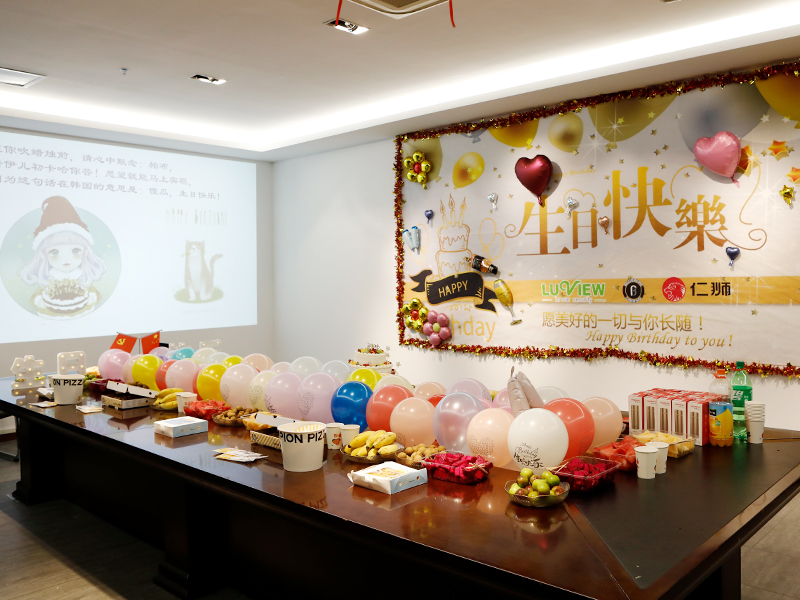
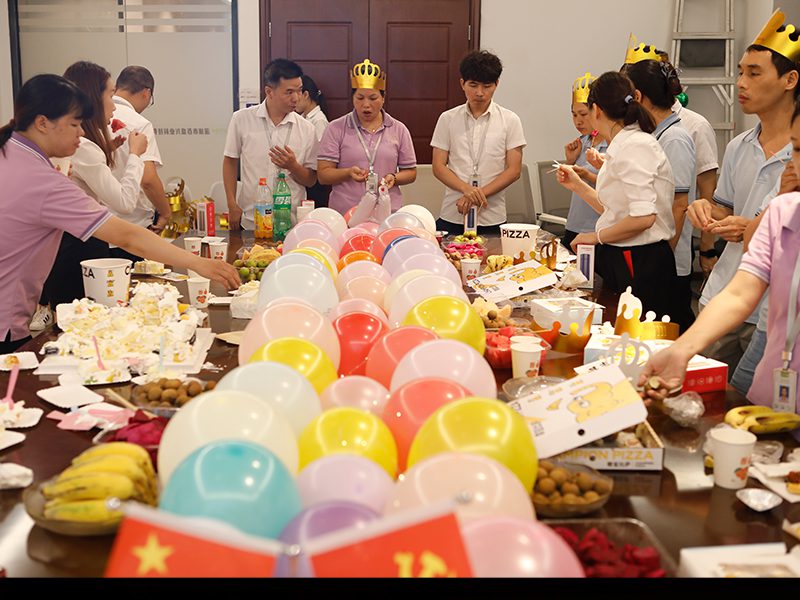
In this August, LUVIEW routinely held a warm and joyful birthday party. All the staff of the administrative department carefully arranged the venue, decorated with balloons, ribbons and birthday posters, so that every employee could feel the warmth and care of home.

Party Time in August: LUVIEW Employees’ Birthday Celebration插图

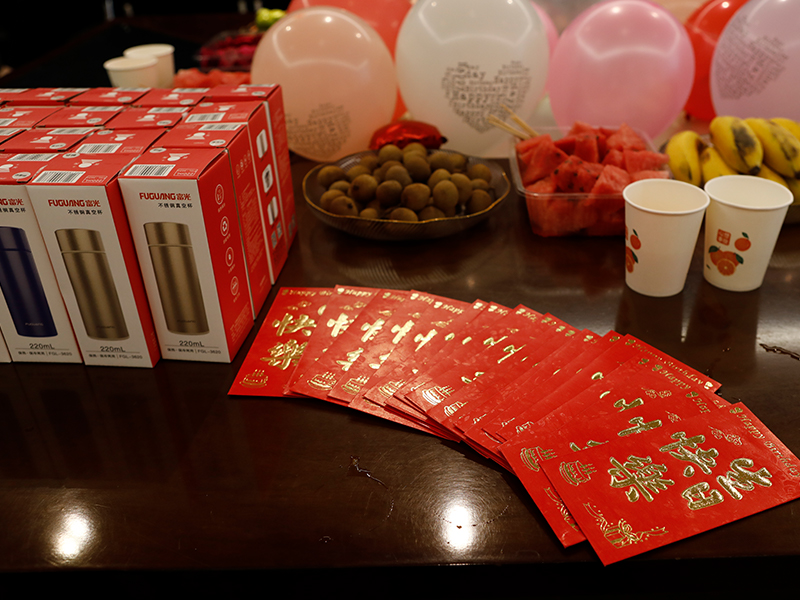
To make the birthday party more memorable, the company specially prepared surprise gifts and birthday red envelopes for employees born in August. In addition, various delicious fruits, cakes, and snacks were prepared for everyone to enjoy a feast for the taste buds. On this special day, employees not only feel the care and warmth of the company but also share happiness and joy with colleagues.

Party Time in August: LUVIEW Employees’ Birthday Celebration插图1

Party Time in August: LUVIEW Employees’ Birthday Celebration插图2

On this special day, we send our heartfelt wishes and blessings to the birthday employees. May everyone have a successful career, a happy life, and achieve their dreams and goals in the coming year. Let’s continue to work together and create a better future!

Difficult to reverse Luview reversing car camera system can help you !

Difficult to reverse? Luview reversing car camera system can help you !

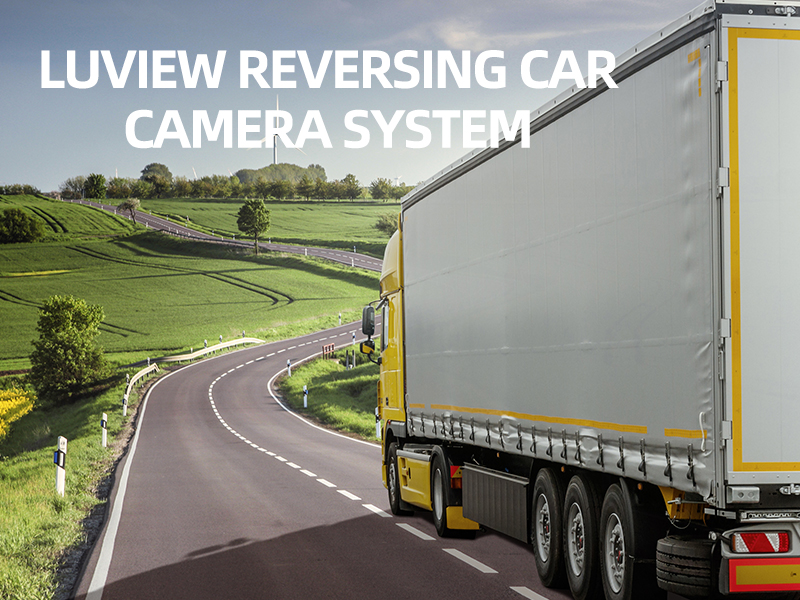
Accidents because of reversing happened in the life every day, mostly they cause damage to the car, eventually may also cause human deaths. All the accidents that happened during the reversing, it did not mean that the accident happened only to new drivers, those experienced drivers also cause the same accident happened. Facing the blind spots during reversing, we need a reversing camera system for car.

Difficult to reverse? Luview reversing car camera system can help you !插图

To avoid and reduce this kind of accident, and take into account of drivers’ difficulties in backing up, Luview would like to promote our car reversing camera system that clearly shows the reversing situation with the help of AHD rear view camera JY-663 and 7 inch mounted on dashboard AHD car Monitor JY-M730 next to the driver.

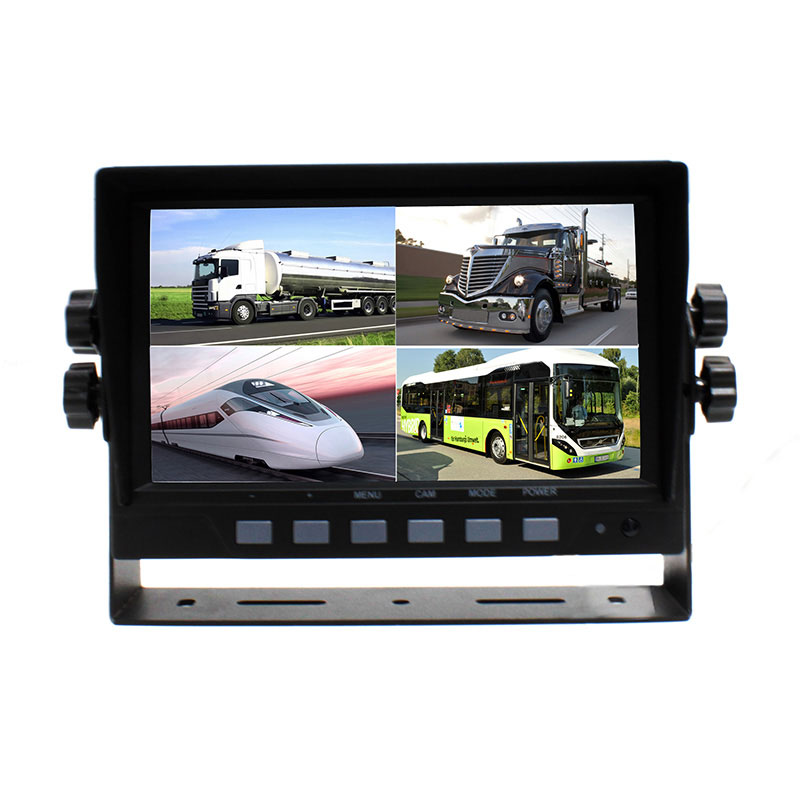
When the driver reverses the car, the mounted on dash lcd monitor automatically switches to reversing screen, so driver can clearly see the places which 2 meters within the car trunk , while the car backing the reverse sensor automatically detects the distance and voice out, Luview 7 inch car monitor especially designed for car rear view system, with quad screen features, four signal input, reducing the accident because of parking blind spot.

7 inch AHD car monitor

Luview – a leader in can and other vehicle safety applications, developing and manufacturing reversing monitors, car cameras, parking sensors, dashboard cameras, and other automotive monitoring and safety products.

For more than 10 years, Luview has provided quality car camera and monitoring products to more than 5 million vehicles! If you are looking for a reliable rear view camera manufacturer or other car camera products and solutions in China, you are coming to the right company, please do not hesitate to contact us today at sales@luview.com, you will get more than sanctification.

ระบบกล้องมองภาพ 360 องศาแบบมุมมองนก สำหรับรถยนต์ รถบรรทุก รถบัส

ระบบกล้องมุมมองนก 360 องศาสำหรับรถยนต์ รถบรรทุก รถบัส

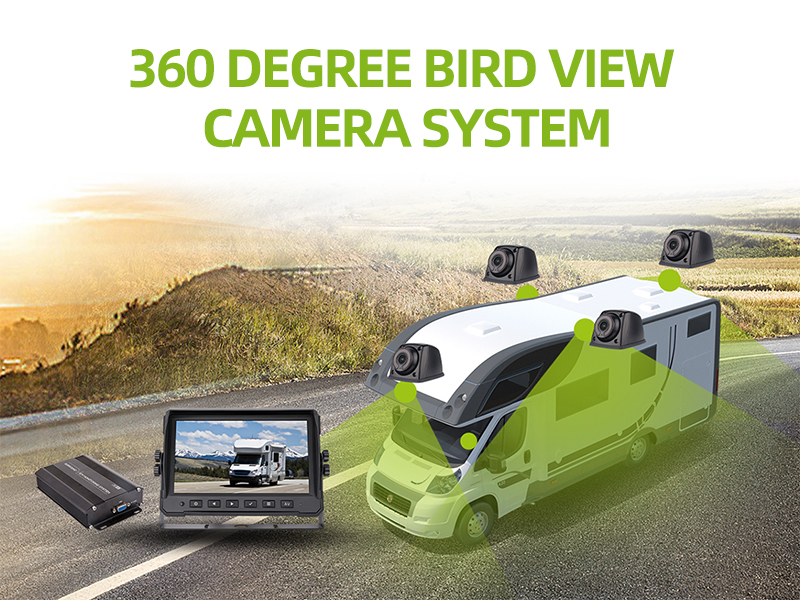
360 degree car camera system is generally installed on front , rear, left and right sides of the bus and truck, small car etc. An electronic control unit combine the four high-resolution digital camera imaging in a lcd display, the driver just press the button, then he can get full vision around the vehicle from  different angles, it feels like live show. Luview Co., LTD has developed a 360 degree car camera system so that drivers only look at the monitor can see blind spot area that the rearview mirror can not cover.

Luview 360 degree bird view camera system for car, truck, bus插图

The corner of the protrusion, the corner of the building and other vehicles on the road can be easily seen, while the driver in a special environment can also be safe operation, such as traffic-intensive cities, narrow loading and unloading ramp ,  or area where the building is chaotic.  Luview’s innovative 360 degree car camera system can even help improve the safety of the car in a parked status because it can be set to a permanent start, which means that when the truck is stopped, the driver can only watch the monitor to monitor the goods on board.

Users can choose the 2D or 3D display mode to observe the car and the surrounding panorama, just press a button and you are able to switch between the two display modes. In the two-dimensional model, the driver’s view field is focused on the nearest distance from the car, and in the 3D mode the surrounding objects and other road users ( cars etc ) can be more easily identified. With better visibility, the driver can not only change the viewing angle, but also control each camera to more accurately and clearly observe a particular area in a complex driving environment. Luview’s new 360 degree car camera system improves the safety and efficiency of commercial vehicle operation – faster operation time, shorter loading and unloading time, reduced traffic accidents, reduced downtime and failure time, reduced cost of damage and repair, and parking of vehicles and the risk of lose goods is also greatly reduced.

The 360 degree camera based monitor system is used as a parking assist in a wide range of applications in high end automotive applications.  Luview’s current 360 degree camera system is particularly suitable for trucks, buses, agricultural vehicles and construction vehicles. Designer not only take into account the different characteristics of these vehicles, but also concerned about the system integration during the vehicle manufacturing process. They also consider the different spatial relationships in the cockpit of different vehicles, as well as the more complex operating environment of commercial vehicles.

ระบบกล้องซ่อนในกระจกมองหลัง ปกป้องตัวคุณและผู้อื่น

ระบบกล้องซ่อนในกระจกมองหลัง: ปกป้องตัวคุณและผู้อื่น

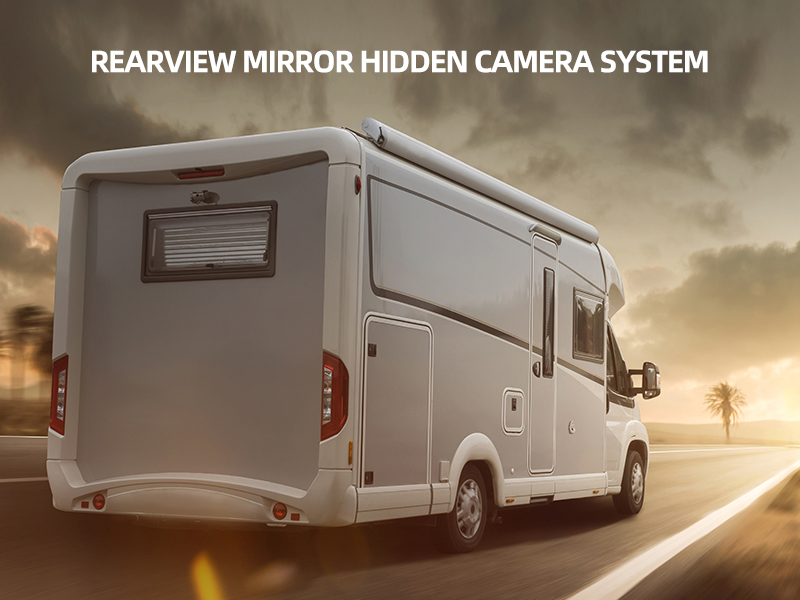
ไม่ว่าคุณจะขับรถประเภทใดก็ตาม ยังมีจุดบอดที่มองไม่เห็นซึ่งอาจทำให้คุณไม่เห็นสิ่งที่ควรเห็นและนำไปสู่อุบัติเหตุทางรถยนต์ได้อุบัติเหตุทางรถยนต์หลายกรณีอาจสามารถป้องกันได้หากใช้เทคโนโลยีกล้องรักษาความปลอดภัยในรถยนต์ที่มีในปัจจุบันมาตั้งแต่หลายปีก่อน ปัจจุบันมีระบบกล้องติดรถยนต์หลากหลายรุ่นวางจำหน่ายในตลาด โดยระบบกล้องติดกระจกมองหลังแบบซ่อนเป็นที่นิยมอย่างมากในกลุ่มเจ้าของรถยนต์ระดับไฮเอนด์ ด้วยระบบกล้องซ่อนในกระจกมองหลัง คุณจะสามารถขับขี่ได้อย่างมั่นใจและปลอดภัยยิ่งขึ้น ระบบกล้องซ่อนในกระจกมองหลังจะช่วยให้คุณมองเห็นสิ่งที่เกิดขึ้นรอบตัวได้ชัดเจนยิ่งขึ้น และช่วยลดความเสี่ยงในการเกิดอุบัติเหตุ.

ระบบกล้องซ่อนในกระจกมองหลัง: ปกป้องตัวคุณและผู้อื่น

เนื่องจากรถยนต์ใหม่ในปัจจุบันยังมีจุดบอดอยู่ การติดตั้งระบบกล้องซ่อนสามารถช่วยรับประกันความปลอดภัยของรถยนต์ได้ดีขึ้น นี่คือมาตรการความปลอดภัยที่เราทุกคนต้องการในโลกปัจจุบัน เมื่อคุณทราบแล้วว่าระบบกล้องซ่อนในกระจกมองหลังสามารถช่วยคุณป้องกันอุบัติเหตุได้อย่างไร เราจะอธิบายการทำงานจริงของระบบและคุณสมบัติของระบบให้ทราบต่อไปนี้:

ระบบกล้องซ่อนในกระจกมองหลังนี้ประกอบด้วย กระจกมองหลังขนาด 7 นิ้ว จอมอนิเตอร์กระจกมองหลังแบบดิจิทัลสำหรับเปลี่ยน, กล้องมองหลังขนาดเล็ก และเครื่องส่งสัญญาณวิดีโอพร้อมสายเคเบิล ต่อไปนี้คือภาพรวมของคุณสมบัติที่มีในระบบกล้องซ่อนในกระจกมองหลัง:

* กล้องความละเอียดสูงในตัว – มาพร้อมเซ็นเซอร์ CMOS ขนาด 1/4 นิ้ว ความละเอียด 648 x 488 พิกเซล มุมมองกว้างพิเศษ 170° ระยะมองกลางคืน 15 ฟุต และระดับกันน้ำ IP69K ที่ได้รับการจัดอันดับสูงสุด ทำให้มั่นใจได้แม้ในวันที่ฝนตก มุมมองกว้างพิเศษ 170° ช่วยให้รถของคุณไม่มีจุดบอดในส่วนด้านหลังกล้องตัวนี้สามารถติดตั้งได้ที่ตำแหน่งป้ายทะเบียนด้านหลัง ซึ่งทำให้แทบมองไม่เห็นในรถยนต์ของคุณ นั่นคือเหตุผลที่เราเรียกว่ากล้องซ่อน.

* เครื่องส่งสัญญาณไร้สายเพิ่มเติม – ด้วยเครื่องส่งสัญญาณไร้สายเพิ่มเติม คุณไม่จำเป็นต้องมีสายไฟที่น่ารำคาญในรถยนต์ของคุณ.

* จอภาพ LCD อ่านง่าย – จอภาพเป็นกระจกมองหลังแบบดิจิทัล LCD ขนาด 7 นิ้ว ที่ใช้แทนกระจกมองหลังได้ สามารถเล่นหรือเล่นซ้ำกิจกรรมจากกล้องมองหลังของคุณได้ ใช้ระบบควบคุมหน้าจอสัมผัสที่ทันสมัย ซึ่งช่วยให้ได้ขนาดหน้าจอที่ใหญ่ที่สุดเท่าที่จะเป็นไปได้.

ระบบกล้องซ่อนในกระจกมองหลังนี้เป็นวิธีการที่ปฏิวัติวงการอย่างแท้จริงในการมอบความปลอดภัยและสร้างความสบายใจให้กับคุณขณะขับขี่ กรุณาติดต่อ sales@luview.com หรือเยี่ยมชมเว็บไซต์ทางการของเรา luview.com หากคุณต้องการทราบข้อมูลเพิ่มเติมเกี่ยวกับระบบกล้องซ่อนในกระจกมองหลังนี้.

ระบบกล้องมองหลังช่วยเพิ่มความปลอดภัยในการถอยหลังสำหรับรถยนต์, SUV, รถบรรทุก, รถตู้

ระบบกล้องมองหลัง: เพิ่มความปลอดภัยขณะถอยหลังสำหรับรถยนต์, SUV, รถบรรทุก, รถตู้

ในขณะที่คนขับส่วนใหญ่มักรู้สึกว่าขับรถนั้นปลอดภัยมาก แต่ส่วนใหญ่ก็เห็นพ้องกันว่าอาจมีปัญหาเมื่อต้องถอยหลัง เมื่อถอยหลัง อาจเป็นเรื่องยากมากที่จะมองเห็นวัตถุต่างๆ เช่น รางหรือสิ่งกีดขวาง เพราะไม่สามารถมองเห็นได้จากกระจกมองหลัง นี่เป็นปัญหาทั่วไปเมื่อขับรถทุกประเภท อย่างไรก็ตาม มันยิ่งแย่กว่าในรถ SUV โดยทั่วไปแล้ว ยิ่งรถมีขนาดใหญ่ จุดบอดก็ยิ่งใหญ่ขึ้น โชคดีที่, ระบบกล้องมองหลัง สามารถช่วยเพิ่มทัศนวิสัยเมื่อถอยหลังได้.

ระบบกล้องมองหลัง: ปรับปรุงความปลอดภัยขณะถอยหลังสำหรับรถยนต์, SUV, รถบรรทุก, รถตู้

ระบบกล้องมองหลังช่วยให้ผู้ขับขี่สังเกตเห็นจุดที่แคบที่สุดได้ และจะไม่ชนสิ่งใด ระบบกล้องมองหลังโดยทั่วไปประกอบด้วยกล้องมองหลัง, จอภาพติดตั้งบนแผงหน้าปัด, ระบบส่งสัญญาณ (หรือสายไฟ) กล้องดิจิตอลที่ติดตั้งอยู่ด้านหลังของรถยนต์จะส่งสัญญาณไปยังจอภาพที่ติดตั้งบนแผงหน้าปัดผ่านสายไฟหรือระบบส่งสัญญาณไร้สาย ผู้ขับขี่สามารถดูจอภาพและเห็นสิ่งที่เกิดขึ้นอยู่เบื้องหลังรถยนต์ของตนได้ชัดเจนระบบกล้องมองหลังสามารถป้องกันอุบัติเหตุที่ไม่ต้องการได้ส่วนใหญ่เมื่อใช้ถูกต้อง และช่วยปกป้องความปลอดภัยของคุณเองรวมถึงช่วยประหยัดเงินของคุณด้วย กระจกมองหลังไม่สามารถตรวจจับเด็กที่กำลังเล่นอยู่หลังรถของคุณได้ แต่ระบบกล้องมองหลังสามารถตรวจจับได้อย่างง่ายดาย.

ระบบกล้องมองหลังสามารถช่วยชีวิตได้เมื่อขับรถบ้านหรือรถบรรทุกหนัก (โดยเฉพาะรถบรรทุกที่บรรทุกตู้คอนเทนเนอร์) การจอดรถเข้าบ้านพักหรือท่าเรือก็เป็นเรื่องง่ายเมื่อติดตั้งและใช้ระบบกล้องมองหลัง ปัจจุบัน รถยนต์ใหม่ส่วนใหญ่ติดตั้งระบบกล้องมองหลังเป็นส่วนหนึ่งของแพ็คเกจมาตรฐานแล้ว แต่ก็ยังสามารถติดตั้งระบบกล้องมองหลังได้ง่ายสำหรับรถเก่าหรือรถใหม่ที่ไม่มีแพ็คเกจนี้.

เมื่อเลือกซื้อระบบกล้องมองหลัง คุณต้องพิจารณาขนาดของยานพาหนะที่จะติดตั้ง ระบบกล้องมองหลังสำหรับรถบรรทุกหรือรถเพื่อการพักผ่อนนั้นแตกต่างจากที่ใช้ในรถยนต์ขนาดเล็กสำหรับการใช้งานประจำวันอย่างสิ้นเชิง ปัจจัยหนึ่งที่คุณควรพิจารณาในระบบกล้องมองหลังคือความสามารถในการมองเห็นในเวลากลางคืน โดยทั่วไปแล้ว ระบบกล้องมองหลังที่มีระยะการมองเห็นกลางคืน 20-40 ฟุต จะเพียงพอสำหรับยานพาหนะส่วนใหญ่.

มีระบบกล้องสำรองสองประเภทที่มีจำหน่ายในท้องตลาด – แบบมีสายและแบบไร้สาย ระบบกล้องสำรองแบบมีสายเป็นตัวเลือกที่ประหยัดค่าใช้จ่าย อย่างไรก็ตาม การติดตั้งระบบกล้องสำรองแบบมีสายนั้นค่อนข้างยากกว่าระบบกล้องสำรองแบบไร้สายคุณจำเป็นต้องพิจารณาค่าใช้จ่ายในการติดตั้งระบบกล้องสำรอง โดยเฉพาะเมื่อคุณกำลังช้อปปิ้งระบบกล้องสำรองจากร้านค้าออนไลน์เช่น Amazon.com อย่างไรก็ตาม หากคุณต้องการติดตั้งระบบกล้องสำรองด้วยตัวเอง คุณสามารถหาทางทำได้ในที่สุด ฉันมั่นใจ นอกจากนี้ การซื้อระบบกล้องสำรองจากร้านค้าปลีกหรือศูนย์บริการรถยนต์ ส่วนใหญ่ให้บริการติดตั้งฟรี หรืออย่างน้อยราคาที่คุณจ่ายก็รวมค่าติดตั้งไว้ในแพ็กเกจแล้ว.

ซื้อระบบกล้องสำรองที่เชื่อถือได้เพียงครั้งเดียวและใช้งานได้นานหลายปี ผู้ผลิตหลายรายกำลังขายระบบกล้องสำรองยี่ห้อคุณภาพดีในราคาที่สมเหตุสมผล เป็นความคิดที่ดีที่จะตรวจสอบรีวิวจากลูกค้าคนอื่น ๆ ก่อนที่คุณจะสั่งซื้อระบบกล้องสำรองออนไลน์ โดยทั่วไป ระบบกล้องสำรองคุณภาพดีจะมีราคาประมาณ 150USD-200USD ซึ่งเป็นราคาที่คุ้มค่าเมื่อพิจารณาถึงความปลอดภัยที่สามารถมอบให้ได้หากคุณถามใครก็ตามที่ได้ติดตั้งระบบกล้องสำรองไว้ในรถยนต์ของพวกเขาแล้ว พวกเขาจะบอกคุณอย่างภาคภูมิใจว่าคุ้มค่ากับเงินที่เสียไป.

บริษัท ลูวิว จำกัด ได้ดำเนินธุรกิจในการจัดหาระบบกล้องสำรองคุณภาพสูง รวมถึงผลิตภัณฑ์อื่น ๆ ผลิตภัณฑ์กล้องยานพาหนะ และโซลูชันสำหรับรถยนต์, SUV, รถบรรทุก, รถตู้ และยานพาหนะอื่น ๆ ไม่ว่าคุณต้องการเป็นตัวแทนจำหน่ายผลิตภัณฑ์กล้อง Luview หรือต้องการหาตัวแทนจำหน่ายผลิตภัณฑ์กล้องยานพาหนะ Luview ในพื้นที่ของคุณ คุณสามารถส่งอีเมลไปที่: sales@luview.com สำหรับรายละเอียดเพิ่มเติม.

คำแนะนำเกี่ยวกับปุ่มกล้องหน้ารถ

คู่มือการใช้งานกล้องติดรถยนต์แบบติดตั้งบนแผงหน้าปัด รุ่น 2 CH HD WiFi

2 ช่อง HD WiFi กล้องติดรถยนต์ ใช้เซ็นเซอร์ NOVATEK 96663 ร่วมกับโปรแกรม 2 CH SONY 322 ซึ่งสร้างกล้องติดรถยนต์คุณภาพสูงสุดพร้อมโหมด WiFi ในตัวที่ควบคุมผ่านโทรศัพท์มือถือ มอบประสบการณ์การขับขี่ที่แตกต่างให้กับผู้ใช้.

ข้อมูลจำเพาะของสินค้า

แรงดันไฟฟ้าในการทำงาน DC 9-18V
กระแสไฟฟ้าในการทำงาน 300mA±10mA
สื่อจัดเก็บข้อมูล การ์ด Micro SD (สูงสุด 32G, การ์ด TF)
เซ็นเซอร์ IMX322 2M CMOS
เลนส์ F2.0 รูรับแสงขนาดใหญ่พิเศษ เลนส์ HD กระจกเต็ม 6 ชิ้น
หน้าจอ LCD หน้าจอ LCD TFT ขนาด 2.0 นิ้ว (C960X240) HD
เสียง o ไมโครโฟนในตัว / ลำโพง 801W
รูปแบบเสียง MP4 H.264
รูปแบบเสียง AAC
รูปแบบภาพถ่าย JPEG
ขนาดรูปภาพ 12M(4032×3024 )
บันทึกวิดีโอ FHD 1080P 30FPS

FHD 1080P 30FPS+1080P 30FPS

HD 720P 1280*720 120 /60/30FPS WVGA 840*480 VGA 640*480

อุณหภูมิการทำงาน -20°C~70°C
ความชื้นในการทำงาน 15~85%RH

ฟังก์ชันการผลิต

ฟังก์ชัน คู่มือสรุป
การบันทึกแบบความละเอียดสูง รองรับความละเอียดสูงสุดถึง 1920x1080P และ 30FPS สำหรับการบันทึกต่อเนื่อง

ไม่มีข้อมูลสูญหาย

การถ่ายภาพ

 ฟังก์ชัน

ถ่ายภาพ HD โดยใช้ปุ่ม PHOTO ระหว่างการบันทึก.
ซิงโครซาวด์

 บันทึก

การบันทึกเสียงแบบซิงโครสามารถทำได้เมื่อบันทึกวิดีโอ และยังสามารถ

 ปิดการบันทึกเสียง

การเล่นวิดีโอ ไฟล์วิดีโอที่บันทึกไว้สามารถเล่นกลับได้ผ่านแอปพลิเคชันโทรศัพท์มือถือหรือการเล่นกลับ

 หลังจากดาวน์โหลดแล้ว.

เอาต์พุตวิดีโอ เอาต์พุต ซิงโครไนซ์วิดีโอ CVBS(NTSC) และสามารถเล่นกับจอมอนิเตอร์รถยนต์หรืออุปกรณ์อื่น ๆ ได้
การเชื่อมต่อ WiFi ควบคุม/ตรวจสอบวิดีโอขณะขับขี่ผ่าน WiFi รองรับการเล่น/ดาวน์โหลด

 อุปกรณ์เสริมของผลิตภัณฑ์


อุปกรณ์มาตรฐาน

กล้องติดรถยนต์ 1 ชิ้น คู่มือผู้ใช้ 1 ชิ้น
สายไฟ 1 ชิ้น ใบรับรองคุณภาพ 1 ชิ้น
บัตรรับประกัน 1 ชิ้น

การเชื่อมต่อสายไฟและสายวิดีโอ ผลิตภัณฑ์ที่มีสายไฟ 3 เส้น กรุณาเชื่อมต่อตามลำดับดังต่อไปนี้:

เส้น คำจำกัดความ ฟังก์ชัน
 

สีเหลือง


12V DC

เชื่อมต่อกับแบตเตอรี่รถยนต์ปกติ

แอโนด(BATT +).


สีแดง


ACC 12V

เชื่อมต่อกับแหล่งจ่ายไฟ ACC ของรถยนต์;

กล้องติดรถยนต์จะทำงานเมื่อ ACC มีแรงดันไฟฟ้า 12V

ดำ กราวด์ GND, เชื่อมต่อขั้วลบของแบตเตอรี่รถยนต์
ขั้วต่อ RCA แบบตัวผู้ เอาต์พุตวิดีโอ เชื่อมต่อ หน้าจอ DVD ของรถยนต์ กรุณา จัดการ กับ มัน อย่างระมัดระวัง

เทปฉนวนหากถูกตัดออก.

แจ้งให้ทราบ: โปรดเชื่อมต่อสายเคเบิลตามข้อกำหนดข้างต้นอย่างเคร่งครัด และใช้สายเคเบิลที่มาพร้อมกับผลิตภัณฑ์เท่านั้น มิฉะนั้น อาจแสดงว่ามีการ์ดเต็ม วิดีโอไม่สามารถเล่นได้ หรือเวลา
ไม่ถูกต้อง เราจะไม่รับผิดชอบต่อสิ่งใดก็ตามที่เกิดจากการเชื่อมต่อสายเคเบิลที่ไม่ถูกต้อง.

กล้องติดรถยนต์จะเปิดโหมด WiFi และเริ่มบันทึกโดยอัตโนมัติเมื่อเปิดเครื่อง ในขณะเดียวกันไฟสีน้ำเงินจะกระพริบ.

ปัญหา วิธีการแก้ไขปัญหา
ไม่สามารถเพิ่มกล้องได้ผ่านแอป 1, ตั้งค่าเพื่อเปิด WIFI
2, ตั้งค่าเพื่อเปิดสิทธิ์การใช้งานโทรศัพท์มือถือ.
3. ถอนการติดตั้งแอปและติดตั้งใหม่ อนุญาตสิทธิ์เมื่อมีการแจ้งเตือน.
ไม่สามารถบันทึกได้อย่างถูกต้อง 1. เปลี่ยนการ์ด TF เป็นการ์ด Class 10 หรือฟอร์แมตการ์ด TF.
2, ตั้งค่าเพื่อเปลี่ยนความละเอียด.
3. ตรวจสอบให้แน่ใจว่าติดตั้งการ์ด TF อย่างถูกต้อง (เมื่อติดตั้งการ์ด จะมีเสียงดังขึ้น).
4. ลบไฟล์ที่ไม่จำเป็นซึ่งเก็บไว้ในบัตร TF เพื่อเพิ่มพื้นที่ว่าง.
วิดีโอไม่ชัดเจน 1, ตั้งค่าเพื่อเปลี่ยนความละเอียด.
2, ตรวจสอบให้แน่ใจว่าเลนส์กล้องสะอาด หากไม่สะอาด โปรดทำความสะอาดเลนส์กล้อง.
กล้องติดรถยนต์ทำงานปกติ แต่ปุ่มไม่สามารถใช้งานได้ ใช้เข็มกดปุ่มรีเซ็ตในรูรีเซ็ตหรือรีสตาร์ทกล้องหน้ารถ.
กรุณาระมัดระวังในการใช้ปุ่มรีเซ็ต อาจทำให้ข้อมูลสูญหายได้.
วิดีโอไม่สามารถเล่นได้ตามปกติหรือเสียงไม่ปกติเมื่อเล่นวิดีโอในคอมพิวเตอร์ หากไม่สามารถเล่นวิดีโอได้ตามปกติ โปรดเปลี่ยนเครื่องเล่นอื่นเพื่อเล่นวิดีโอ หากเสียงไม่ปกติ อาจเป็นเพราะประสิทธิภาพของลำโพงไม่ดี โปรดเปลี่ยนลำโพงที่มีประสิทธิภาพดีกว่า หรือใช้แล็ปท็อปเพื่อเล่นวิดีโอ.
โมเสกปรากฏขึ้นเมื่อเล่นวิดีโอ 1, ย้ายเข้าใกล้กล้องหน้ารถให้มากขึ้นเพื่อเพิ่มสัญญาณ WIFI.
2, ตั้งค่าความละเอียดวิดีโอของโทรศัพท์ให้ต่ำลง.
3. ใช้โทรศัพท์ที่มีโปรไฟล์สูงกว่า.

คำแนะนำที่อบอุ่น!

ระบบรองรับการ์ดหน่วยความจำ micro SD สูงสุด 32G เท่านั้น เพื่อรับประกันคุณภาพของการบันทึก โปรดใช้การ์ด SD ของแท้เท่านั้น การ์ด SD ที่ไม่ใช่ของแท้อาจทำให้ข้อมูลสูญหายหรือเกิดความเสียหายได้ บริษัทจะไม่รับผิดชอบต่อการสูญเสียใด ๆ ที่เกิดจากการใช้การ์ด SD ที่ไม่แท้เนื่องจากผู้ใช้ โปรดใช้การ์ดหน่วยความจำความเร็วสูงระดับ CLASS 10ห้ามดึงหรือใส่การ์ด SD เมื่อระบบเปิดอยู่ เพื่อป้องกันการเสียหายของการ์ด SD.

เครื่องบันทึกการขับขี่สามารถใช้ได้เฉพาะกับระบบจ่ายไฟ +12 โวลต์เท่านั้น ไม่สามารถใช้กับระบบจ่ายไฟ +24 โวลต์ได้ เช่น รถโดยสารทั่วไป รถบรรทุก และยานพาหนะเชิงพาณิชย์อื่น ๆกรุณายืนยันแรงดันไฟฟ้า ก่อนการติดตั้ง! บริษัทจะไม่รับผิดชอบต่อความเสียหายใด ๆ ที่เกิดจากการใช้งานเกินแรงดัน เช่น ความเสียหายของเครื่องบันทึกการขับขี่ ควันไฟ และความเสี่ยงอื่น ๆ.

สินค้า คำแนะนำ

 การแนะนำลักษณะภายนอก ผลิตภัณฑ์นี้เป็นกล้องติดรถยนต์แบบอเนกประสงค์.

คำแนะนำเกี่ยวกับรูปลักษณ์ของกล้องติดรถยนต์แบบสากล
สถานะของผลิตภัณฑ์แสดงด้วยไฟสีแดงหรือสีน้ำเงิน ไฟสีแดงเมื่อเปิดเครื่อง / หยุดบันทึก.
ไฟสีน้ำเงินกระพริบขณะบันทึก, ไฟสีแดงกระพริบเมื่อไม่มี SD Card หรือมีปัญหาเกี่ยวกับ SD card. ไฟสีแดงเมื่อหยุดบันทึก.

คำแนะนำเกี่ยวกับปุ่มกล้องหน้ารถ1.PowerSwitch: กดสั้นเพื่อเริ่ม/หยุด กดค้างเพื่อปิดเครื่อง กดสั้นเพื่อเปิดเครื่องเมื่ออยู่ในโหมดปิดเครื่อง เป็นปุ่ม Enter เมื่ออยู่ในโหมดเมนู สามารถเริ่มเล่นหรือหยุดเล่นในโหมดการเล่นซ้ำได้.
2.ขึ้น: กดสั้นเพื่อถ่ายภาพขณะบันทึก เป็นปุ่มขึ้นหรือปุ่มขวาในเมนู กดค้างเพื่อสลับการแสดงผลวิดีโอและการแสดงผลหน้าจอ.
3.ลง: กดสั้นเพื่อเปิด/ปิดไมโครโฟนขณะบันทึกเสียง เป็นปุ่มลงหรือปุ่มซ้ายในเมนู กดค้างเพื่อเข้าสู่โหมด(กดค้างไว้ครั้งแรกในโหมดบันทึกเพื่อเปลี่ยนเป็นโหมดถ่ายภาพ กดค้างไว้ครั้งที่สองเพื่อเข้าสู่โหมดเล่นซ้ำ กดค้างไว้เมื่อโหมดเล่นซ้ำหยุดเล่นเพื่อกลับไปยังโหมดบันทึก)
4.เมนู: กดสั้นเพื่อเปิด/ปิดไฟหน้าจอ กดสั้นเพื่อตั้งค่าเมนู และกดยาวเพื่อเปิด/ปิด WiFi เมื่อไม่มีการบันทึก.
5.รีเซ็ต: กดสั้นเพื่อรีเซ็ต/เริ่มต้นใหม่ของอุปกรณ์.
6.SOSLock: กดสั้นเพื่อล็อกการบันทึกปัจจุบัน กดค้างเพื่อสลับกล้องหน้าและกล้องสำรองสำหรับการบันทึก ลำดับคือ กล้องบันทึกปัจจุบัน กล้องหน้า กล้องสำรอง และวนซ้ำ.

โฟลเดอร์จัดเก็บกล้องหน้ารถ

ไฟล์จะถูกแบ่งออกเป็นสองโฟลเดอร์ คือ กล้องระยะไกล (โฟลเดอร์บันทึกการขับขี่) และ สื่อในเครื่อง (โฟลเดอร์ดาวน์โหลดในเครื่องของโทรศัพท์) คลิก “กล้องระยะไกล”เพื่อเข้าสู่ไฟล์บันทึกการขับขี่.

กล้องติดรถยนต์บันทึกวิดีโอ

เลือกไฟล์วิดีโอ“ภาพยนตร์”หรือไฟล์รูปภาพ“รูปภาพ”เพื่อเรียกดู;จากนั้นคลิกเลือกไฟล์การเล่นหรือไฟล์ที่ดาวน์โหลดที่ต้องการ ตัวเลือกการดำเนินการที่จำเป็นจะปรากฏขึ้น.

กล้องติดรถยนต์ ตัวเลือกสื่อท้องถิ่น

คลิก “สื่อท้องถิ่น”ในโฟลเดอร์เมนูหลักเพื่อเข้าสู่โฟลเดอร์โทรศัพท์ จะแสดงวิดีโอและกล้องที่ถูกดาวน์โหลดไว้ในหน่วยความจำของโทรศัพท์คุณ.
ปุ่มหยุด/เปิดวิดีโอ: คลิก เพื่อเริ่ม/หยุด
ถ่ายรูป: คลิกไอคอนนี้เพื่อถ่ายรูป HD ในโหมดถ่ายภาพ คลิกเพื่อถ่ายรูปในโหมดวิดีโอ

คำแนะนำการติดตั้ง

หมายเหตุ: กล้องติดรถยนต์จากตำแหน่งการพิสูจน์ของรถต้องมีความยาวหางมากกว่า 7 มม. มิฉะนั้นจะไม่สามารถใช้ทดแทนได้ตามปกติในอนาคต.

ข้อมูลอ้างอิงการจัดเก็บของ SD card

ความละเอียดของภาพยนตร์ 4G 8G 16G 32G
1920×1080 (30 เฟรมต่อวินาที) 34 นาที 68 นาที 136 นาที 272 นาที
1280×720 (30 เฟรมต่อวินาที) 50 นาที 80 นาที 160 นาที 320 นาที
ภาพถ่าย 2720 รูป 5440 นาที 10,880 ภาพ 21,760 ภาพ

สินค้า การตั้งค่า

เมื่อหยุดบันทึก ให้กดปุ่มเมนูสั้น ๆ เพื่อเข้าสู่เมนูการตั้งค่าวิดีโอ จากนั้นกดสั้น ๆ เพื่อเข้าสู่เมนูการตั้งค่าระบบ เมื่อกดครั้งที่สาม ระบบจะกลับออกจากเมนูและกลับสู่การบันทึก.

การตั้งค่ากล้องหน้ารถ

ตัวเลือกเมนูวิดีโอประกอบด้วย: ความละเอียดวิดีโอ – ตั้งค่าความละเอียดการบันทึกวิดีโอ; การบันทึกแบบวนซ้ำ — ตั้งค่าเวลาของไฟล์แพ็คเกจวิดีโอ; การชดเชยแสง – ตั้งค่าค่าแสง; การตรวจจับการเคลื่อนไหว – เปิด / ปิดฟังก์ชันการตรวจจับการเคลื่อนไหว; การตั้งค่าเสียงวิดีโอ – สวิตช์เสียงบันทึกวิดีโอ; ป้ายวันที่ – ตั้งค่าเวลาลายน้ำวิดีโอ.

เมนูการตั้งค่าประกอบด้วย:

เปิด/ปิด WIFI;

วันที่/เวลา– ตั้งค่าวันที่หรือเวลา (กดปุ่มเปิด/ปิดเครื่องเพื่อเข้าสู่หน้าตั้งค่าวันที่ กดปุ่มขึ้น/ลงเพื่อเลือกปี กดปุ่มเปิด/ปิดเครื่องเพื่อบันทึกข้อมูลปี และระบบจะเข้าสู่หน้าตั้งค่าเดือนโดยอัตโนมัติ ทำเช่นเดียวกันกับข้างต้นเพื่อตั้งค่าข้อมูลเดือนหรือวันและรูปแบบการแสดงวันที่);

ปิดเครื่องอัตโนมัติ – ตั้งเวลาปิดเครื่องอัตโนมัติ; เสียงปุ่ม – ตั้งค่าว่าต้องการให้มีเสียงเมื่อกดปุ่มหรือไม่;

การตั้งค่าภาษา– ตั้งค่าภาษา: อังกฤษ, ฝรั่งเศส, สเปน, โปรตุเกส, เยอรมัน, อิตาลี, จีนตัวย่อ, จีนตัวเต็ม, รัสเซีย, ญี่ปุ่น.

ความถี่ของแหล่งกำเนิดแสง – 50Hz หรือ 60Hz เลือกได้ เพื่อปรับความถี่ของแหล่งกำเนิดแสงภายนอกให้สอดคล้องกัน ลดการกะพริบ;

ฟอร์แมต– ฟอร์แมตการ์ดหน่วยความจำ.

การตั้งค่าเริ่มต้น – กู้คืนการตั้งค่าเริ่มต้น หลังจากกดยืนยันแล้ว ทุกพารามิเตอร์ WiFi จะถูกคืนค่าเป็นการตั้งค่าเริ่มต้นจากโรงงาน.

เวอร์ชัน- มุมมอง การ พื้นเมือง ซอฟต์แวร์ เวอร์ชัน. 

บันทึก ฟังก์ชัน

การบันทึกวิดีโอเป็นฟังก์ชันพื้นฐานของผลิตภัณฑ์นี้ โดยผลิตภัณฑ์นี้ใช้แพลตฟอร์ม Novatek 96663 ชั้นนำ ซึ่งให้การบันทึกวิดีโอคุณภาพระดับ HD ที่เหนือกว่าแพลตฟอร์มอื่น ๆ อย่างมาก.

วิดีโอ บันทึก หัน บน

เปิดฟังก์ชันวิดีโอโดยอัตโนมัติ

ใส่บัตร TF, ฟังก์ชันจะเปิดทำงานโดยอัตโนมัติเมื่อผลิตภัณฑ์ได้รับการจ่ายไฟและเปิดใช้งาน.

การเปิด/ปิดการบันทึกวิดีโอด้วยตนเอง

1 กดปุ่มเปิด/ปิดสั้น ๆ เพื่อเปิด/ปิดฟังก์ชัน

2, กดปุ่ม บนโทรศัพท์เพื่อเปิด/ปิดฟังก์ชัน

วิดีโอ บันทึก ตัวชี้วัด

ไฟสีน้ำเงินเริ่มกระพริบเมื่อฟังก์ชันถูกเปิดใช้งาน

ลูป บันทึก

เมื่อการ์ด TF เต็ม ไฟล์วิดีโอใหม่จะทับไฟล์วิดีโอเก่า ยกตัวอย่างเช่น หากใช้ค่าเริ่มต้นของระบบที่ 1920 x 1080p 30fps ไฟล์วิดีโอจะมีขนาด 80MB ต่อนาที หากการ์ด TF มีความจุ 8GB จะเต็มภายในประมาณหนึ่งชั่วโมง และไฟล์วิดีโอใหม่จะทับไฟล์วิดีโอเก่า.

ไวไฟ การเชื่อมต่อ

หลังจากยืนยันว่าไวไฟของเครื่องบันทึกการขับขี่และเมนูไวไฟของโทรศัพท์เปิดอยู่แล้ว ให้ค้นหาไวไฟ: NVT_CARDV จากนั้นใส่รหัสผ่าน: 12345678 เพื่อเชื่อมต่อ

การตั้งค่า Wifi ของกล้องติดรถยนต์

แอป การเชื่อมต่อ

หลังจากเชื่อมต่อ WiFi สำเร็จแล้ว ให้เปิดแอปที่ติดตั้งไว้โนวาแคม) เชื่อมต่อกับอินเทอร์เฟซควบคุมเวลาด้านหลังของเครื่องบันทึกการขับขี่

การตั้งค่าการเชื่อมต่อแอปกล้องหน้ารถ

ฉุกเฉิน บันทึก

ผลิตภัณฑ์สามารถตรวจสอบการเปลี่ยนแปลงของความเร่งได้ตลอดเวลาด้วยเซ็นเซอร์ G-sensor ที่ติดตั้งไว้ในตัว เมื่อการเปลี่ยนแปลงของความเร่งไม่เป็นปกติ (การชน, เบรกฉุกเฉิน, เป็นต้น) ฟังก์ชันบันทึกฉุกเฉินจะถูกเปิดใช้งาน ไฟล์วิดีโอฉุกเฉินจะถูกบันทึกไว้ในไดเรกทอรีรากของ TF Card \Novatek\LOCK ไฟล์ในโฟลเดอร์นี้จะไม่ถูกครอบคลุม แต่พื้นที่ว่างในบัตร TF จะลดลงหากมีไฟล์เหตุการณ์ที่ไม่จำเป็นอยู่ภายในมากเกินไป เราแนะนำให้ทำความสะอาดอย่างทันท่วงที: เพื่อลบไฟล์ที่ไม่ต้องการซึ่งเก็บไว้ในโฟลเดอร์ ‘LOCK’.

วิดีโอ บันทึกแล้ว ใน เซ็กเมนต์

ไฟล์วิดีโอปกติที่เก็บไว้ในไดเร็กทอรีรากของ TF card \ โฟลเดอร์ Novatek \ MOVIE เพื่อป้องกันการสูญหายที่เกิดจากความเสียหายของไฟล์วิดีโอโดยไม่ได้ตั้งใจ ผลิตภัณฑ์นี้ใช้การเก็บรักษาวิดีโอสั้น; ไฟล์วิดีโอแต่ละไฟล์สามารถเชื่อมต่อกับไฟล์ข้างเคียงได้อย่างราบรื่น การขาดไฟล์วิดีโอจะไม่เกิดขึ้น.

แอป การเชื่อมต่อ

หลังจากเชื่อมต่อ WIFi สำเร็จแล้ว ให้เปิดแอปที่ติดตั้งไว้โนวาแคม) เชื่อมต่อกับอินเทอร์เฟซควบคุมเวลาด้านหลังของเครื่องบันทึกการขับขี่

กล้อง จับภาพ ฟังก์ชัน

ผลิตภัณฑ์มีฟังก์ชันการถ่ายภาพความละเอียดสูง เมื่อบันทึก ให้กดปุ่มสั้น ๆ เพื่อถ่ายภาพ รูปภาพจะถูกตั้งชื่อว่า “ปี – เดือน – วัน – ชั่วโมง – นาที – วินาที -000.JPG” รูปภาพจะถูกเก็บไว้ในไดเรกทอรีรากของ TF Card \Novatek\PHOTO.

วิดีโอ การเล่นซ้ำ

เมื่อไม่ได้บันทึก กดปุ่มค้างไว้เพื่อเข้าสู่โหมด ‘กล้อง’ กดปุ่มค้างไว้เพื่อเข้าสู่หน้าจอการเล่นวิดีโอ เลือกไฟล์วิดีโอที่ต้องการแล้วกดปุ่มเปิด/ปิดเครื่อง วิดีโอจะเริ่มเล่น กดปุ่มเพื่อหยุดการเล่นวิดีโอ และกดปุ่มค้างไว้เพื่อออกจากหน้าจอการเล่นวิดีโอ.

เสียง บันทึก ฟังก์ชัน

ผลิตภัณฑ์มีฟังก์ชันการบันทึกวิดีโอแบบซิงโครนัส หากไม่ต้องการบันทึกเสียงแบบซิงโครนัส ให้กดปุ่มสั้น ๆ หรือตั้งค่าไมโครโฟนให้เป็นปิดในเมนูการตั้งค่า .

ไวไฟ การเชื่อมต่อ

ผลิตภัณฑ์นี้มีความสามารถในการเชื่อมต่อ WiFi สามารถเชื่อมต่อกับสมาร์ทโฟน คอมพิวเตอร์ และอุปกรณ์ปลายทางอื่น ๆ เพื่อดู/ควบคุมผลิตภัณฑ์ได้.

ติดตั้ง มือถือ เทอร์มินอล แอป

กรุณาใช้โทรศัพท์มือถือเพื่อสแกนโค้ดสองมิติหรือป้อน URL เพื่อติดตั้งแอป; ผู้ใช้ Apple IOS :, ในแอปสโตร์, ค้นหา NovaCam, คุณสามารถดาวน์โหลดได้ฟรี.

ดาวน์โหลดแอปกล้องหน้ารถพร้อมรหัส OCR สำหรับโทรศัพท์มือถือ iOS

แอป Android: ค้นหา “NovaCam” เพื่อดาวน์โหลดแอป

ดาวน์โหลดแอปกล้องหน้ารถพร้อมรหัส OCR สำหรับโทรศัพท์มือถือแอนดรอยด์

ไวไฟ เปิด

กดปุ่มเมนูหรือเข้าสู่หน้าการตั้งค่าเมนูเพื่อเปิด/ปิด WiFi หลังจากเปิด WiFi แล้ว เครื่องบันทึกการขับขี่จะทำหน้าที่เป็นฮอตสปอต WiFi โดย SSID ของ WiFi คือ NVT_CARDV ตามด้วยรหัสสุ่มกลุ่มหนึ่งรหัสผ่านคือ :12345678. หน้าจอแสดงผลดังนี้หลังจากเปิดไวไฟ:

สถานะการเชื่อมต่อ Wi-Fi